
Equipping yourself with a reliable notebook is critical for high school and university students at institutions like Zayed University, UAEU, and NYU Abu Dhabi. Finding the best Laptops for School in UAE requires looking beyond aesthetic designs. In this detailed guide, we analyze hardware configurations, portability factors, processing power, and screen options to help UAE students choose a laptop that will support them throughout their academic journey.
1. Matching Laptop Specs to Your Academic Major
Your major determines the performance level required from your laptop. Standard configurations vary greatly depending on your academic focus:
- Business & Humanities: These majors primarily require office productivity tools, web browsing, and document editing. A lightweight laptop with a comfortable keyboard, good battery life, and a bright screen is ideal.
- Engineering & Computer Science: Students in these fields run demanding simulation tools, compilers, and virtual machines. A high-end CPU and at least 16GB of RAM are essential.
- Design & Architecture: Graphic design, animation, and 3D modeling programs require dedicated graphics cards. Look for laptops with high-quality screens and powerful GPUs.
2. Processor Guide: Balancing Speed and Battery Life
The processor (CPU) acts as the brain of your laptop. Intel's latest Core i5 / Ultra 5 and Core i7 / Ultra 7 processors utilize a hybrid core design that balances processing power with battery efficiency. AMD's Ryzen 5 and Ryzen 7 processors are also highly efficient, helping laptops run cool and quiet during long study sessions.
For macOS users, Apple's M-series MacBooks offer excellent performance and long battery life. Before purchasing, verify with your academic department that all required software is fully supported on macOS.
3. RAM and SSD: The Keys to Multitasking
In 2026, 8GB of RAM is no longer sufficient. Running multiple applications, browser tabs, and collaborative tools simultaneously will slow down your system. We strongly recommend selecting at least 16GB of DDR5 RAM. This ensures smooth multitasking and future-proofs your laptop for several years of heavy use.
Your storage drive should always be a Solid State Drive (SSD), which allows the system to boot up in seconds and load files instantly. A minimum of 512GB of SSD storage is recommended, though engineering and creative students should consider 1TB to store project files and design assets.
4. Detailed Review of 5 Recommended Student Laptops (In-Stock)
Here are our top 5 laptop recommendations that offer high processing speeds, durable keyboards, and robust graphical capabilities for student life:
1. ASUS ROG Strix G16 (RTX 5050 & Core i7-14650HX)
An exceptional, high-speed student laptop featuring 16GB of DDR5 RAM, a fast 1TB NVMe SSD, and the Nvidia RTX 5050. This is the perfect option for computer science majors doing programming work.
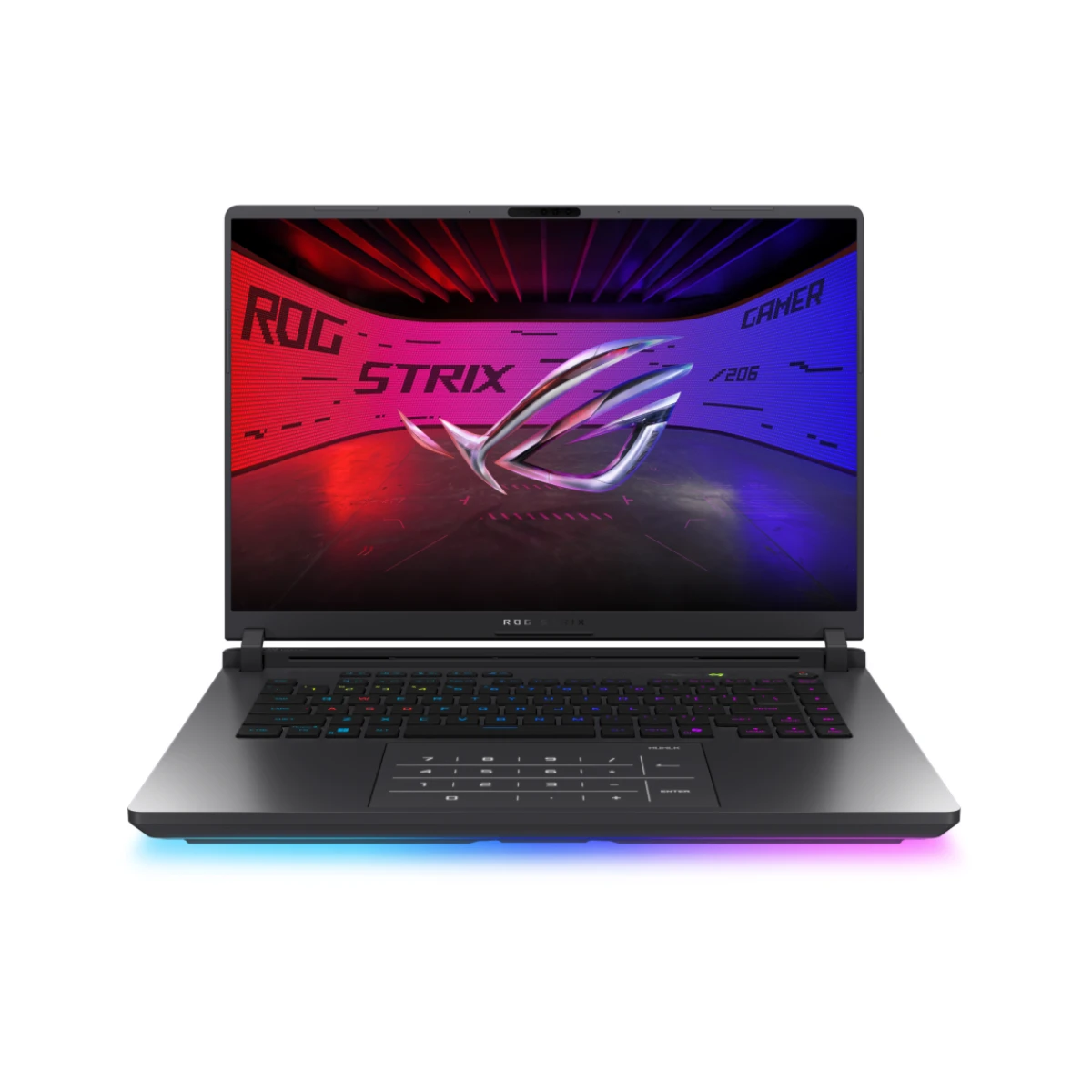
ASUS ROG Strix G16 Gaming Laptop (GeForce RTX 5050, Intel Core i7-14650HX, 16GB RAM, 1TB SSD, 16" WUXGA 165Hz, Windows 11 Home, Black) - G615JHR-1SG7821W

ASUS ROG Strix G16 G615JHR-1SG7821W offers high-performance gaming with RTX 5050, Intel i7 processor, 165Hz display, 16GB RAM, and 1TB SSD. Buy now at best price in United Arab Emirates.
2. ASUS TUF Gaming F16 (RTX 5070 & Core i7-14650HX)
A rugged student laptop offering a 16-inch high-resolution screen, 32GB RAM, 1TB SSD, and Nvidia RTX 5070 graphics. It is a highly durable chassis that handles both study workloads and weekend gaming.
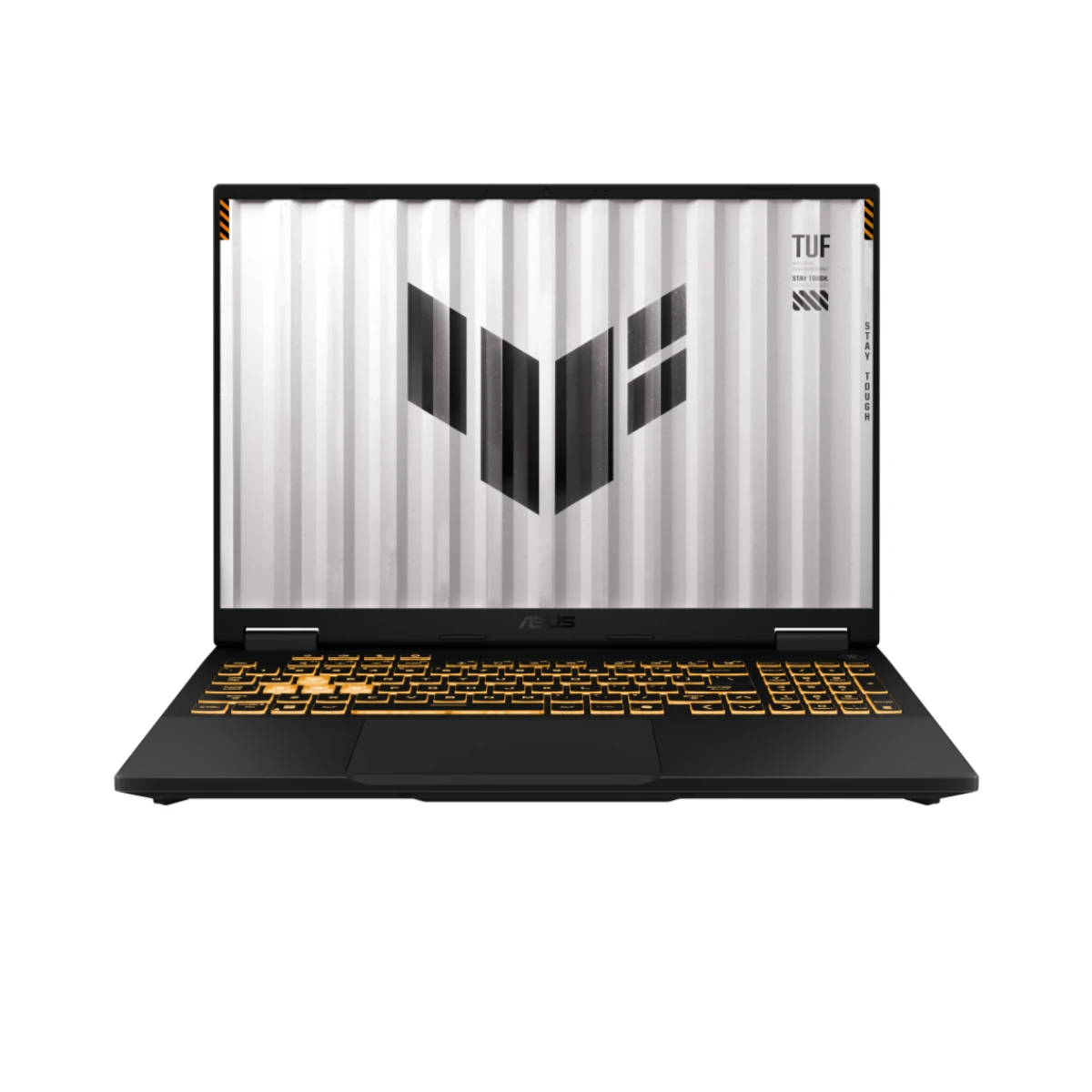
ASUS TUF Gaming F16 Gaming Laptop (GeForce RTX 5070, Intel Core i7-14650HX, 32GB RAM, 1TB SSD, 16.0" WQXGA 165Hz, Windows 11 Home, Black) - FX608JPR-71621W
ASUS TUF Gaming F16 FX608JPR-71621W delivers strong gaming performance with RTX 5070, Intel i7 processor, 165Hz display, 32GB RAM, and fast SSD. Buy now at best price in United Arab Emirates.
3. ASUS TUF Gaming A16 (RTX 5070 & AMD Ryzen 9 8940HX)
Features the highly efficient AMD Ryzen 9 8940HX processor, 16GB RAM, and Nvidia RTX 5070 graphics. Excellent for engineers demanding high-accuracy calculations and long battery life.
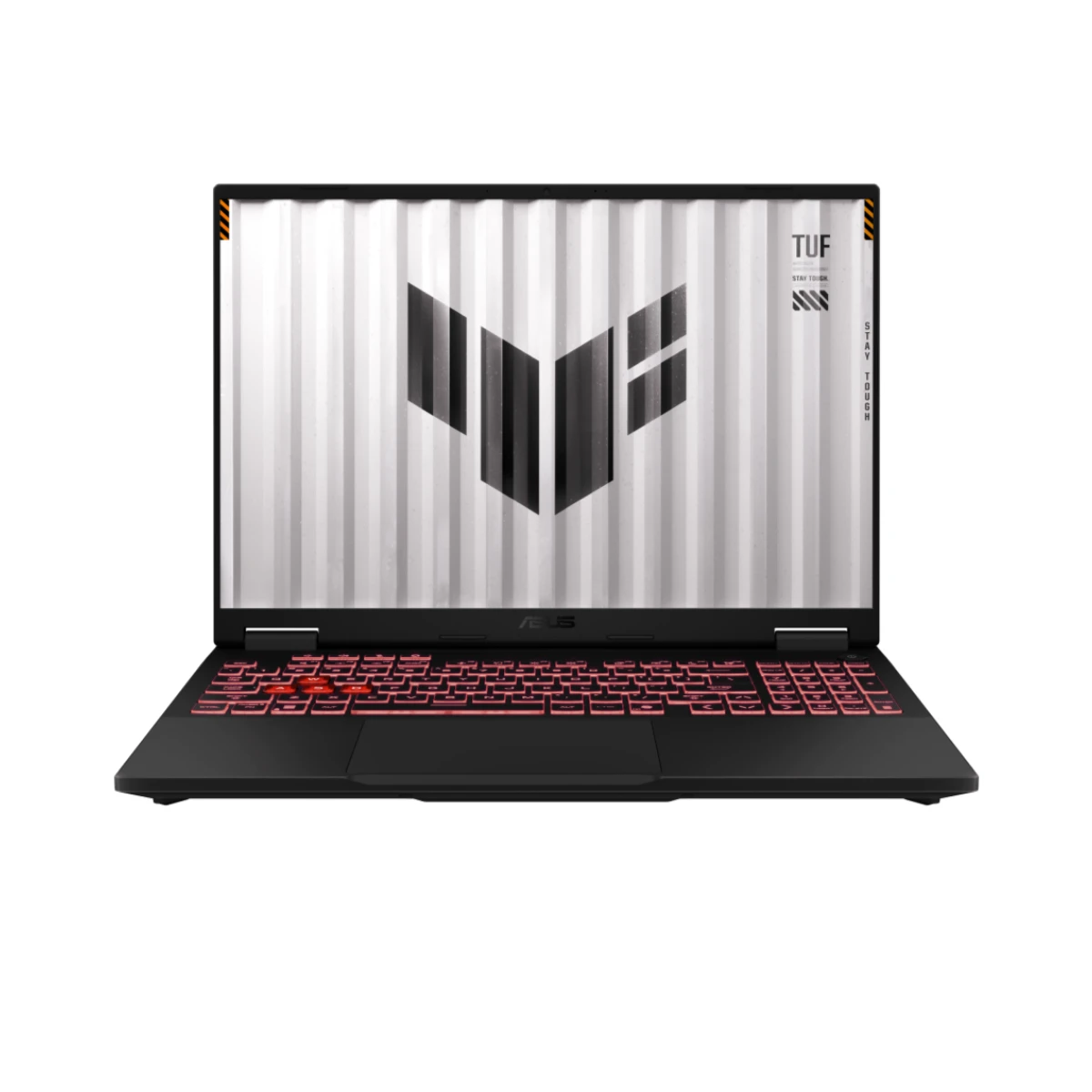
ASUS TUF Gaming A16 Gaming Laptop (GeForce RTX 5070, AMD Ryzen 9 8940HX, 16GB RAM, 1TB SSD, 16.0" WQXGA 165Hz, Windows 11 Home, Black) - FA608PP-G1S161W
ASUS TUF Gaming A16 FA608PP-G1S161W delivers powerful gaming with RTX 5070, Ryzen 9 processor, 165Hz display, 16GB RAM, and fast SSD. Buy now at best price in United Arab Emirates.
4. Lenovo Legion Pro 5 (Intel Ultra 9 & RTX 5070)
Perfect for design and programming students. Features an Ultra 9 CPU, 32GB RAM, and RTX 5070 GPU. The high-color-accuracy OLED screen is perfect for Photoshop and video editing.

Lenovo Legion Pro 5 Gaming Laptop (GeForce RTX 5070, Intel Core Ultra 9 275HX, 32GB RAM, 1TB SSD, 16" WQXGA OLED 165Hz, Windows 11 Home, Black) - 16IAX10-83F3001YAX

Lenovo Legion Pro 5 16IAX10-83F3001YAX delivers powerful gaming with RTX 5070, Ultra 9 processor, OLED 165Hz display, 32GB RAM, and 1TB SSD. Buy now at best price in United Arab Emirates.
5. Lenovo Legion 7 (Glacier White - Intel Ultra 9 & RTX 5070)
A sleek, lightweight student powerhouse. Features 32GB RAM and 2TB SSD storage in a premium white aluminum frame. Ideal for students who prioritize premium design and portability.
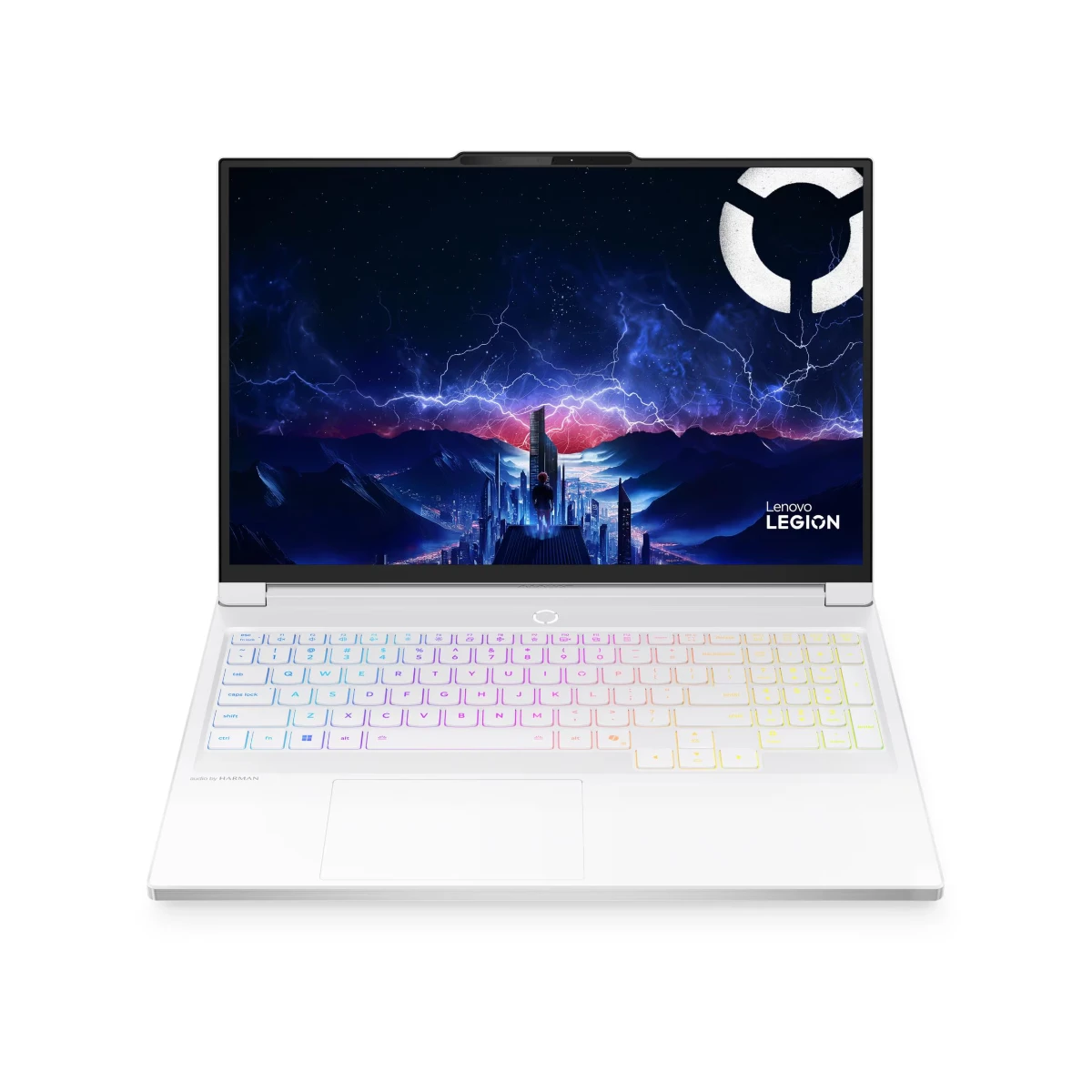
Lenovo Legion 7 Gaming Laptop (GeForce RTX 5070, Intel Core Ultra 9 275HX, 32GB RAM, 2TB SSD, 16" WQXGA OLED 240Hz, Windows 11 Home, Glacier White) - 16IAX10-83KY001NAX
Lenovo GeForce RTX 5070 Legion 7 16IAX10-83KY001NAX combines powerful Ultra 9 performance, OLED 240Hz display, 32GB RAM, and 2TB SSD for gaming excellence. Buy now at best price in United Arab Emirates.
5. Screen Quality, Portability, and Battery Life
Students carry their laptops around all day, so choosing a lightweight model is essential. Look for a laptop that weighs under 1.8 kg. Additionally:
- Screen Resolution: Choose a display with at least Full HD (1920x1080) resolution. A matte screen is highly recommended for reducing glare in bright classrooms.
- Battery Capacity: Opt for a laptop with a battery rated at 60 Watt-hours (Wh) or higher, providing enough power to last through a full day of lectures.
Frequently Asked Questions (FAQ)
Q1: Which laptop is best for programming students in Dubai?
Models with Intel Core i7 / Ultra 9 CPUs and 32GB RAM are the top choice for running IDEs, virtual environments, and compiler tools.
Q2: Should I get a graphic design student laptop with a dedicated graphics card?
Yes, a dedicated GPU like the RTX 5070 is critical for rendering 3D assets in AutoCAD and editing raw files in Adobe Premiere without lag.
Q3: How do I handle accidental damage in the UAE?
We recommend adding accidental damage protection at checkout, covering screen cracks and spills with authorized local GCC repair hubs.
Prefer building a custom gaming desktop rather than buying a laptop? Try our interactive PC builder tool or read our latest news on the GCC Gamers news hub.