
Forget the Cloud: The Best Local AI PC Custom Builds for UAE Developers!

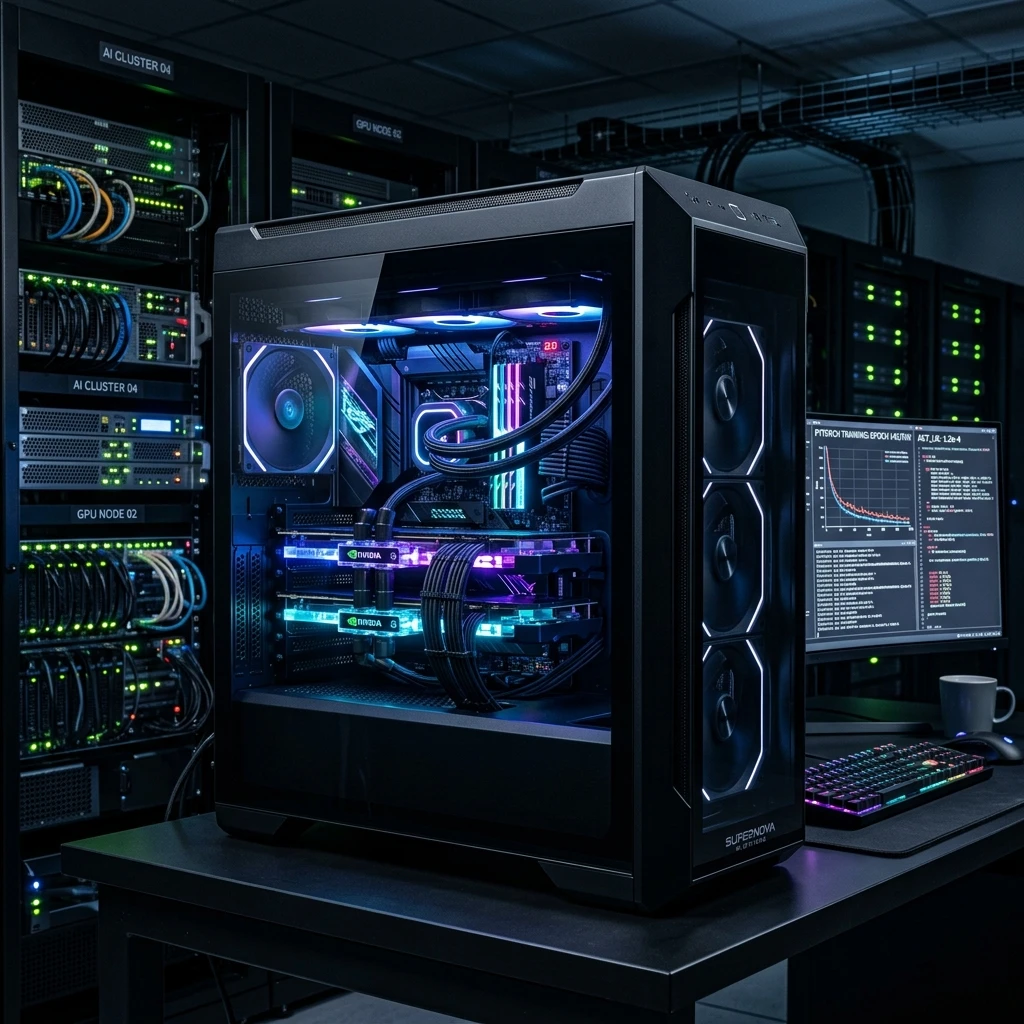
Artificial Intelligence is transforming industries globally. For developers, data scientists, and AI researchers in the Emirates, configuring a high-performance local AI PC in UAE has become a major technical advantage. While cloud compute models like AWS, Google Cloud, and Azure are widely used, recurring subscription fees and data sovereignty regulations make local deep learning workstations a far more cost-effective choice. In this design guide, we break down the hardware requirements for building a top-tier machine learning workstation in Dubai and Abu Dhabi.
1. VRAM: The Critical AI Metric
Deep learning workloads are highly dependent on graphics card memory (VRAM). Neural networks and Large Language Models (LLMs) must load parameters directly into VRAM. If your dataset or model size exceeds your card's VRAM capacity, the system falls back to system RAM, slowing down training speeds significantly.
For basic development, a GPU with 12GB or 16GB of VRAM is sufficient. However, for research teams training custom models, 24GB of VRAM (found in the RTX 4090 or RTX 5090) is recommended. Multi-GPU configurations allow you to scale your VRAM pool further, handling larger models and datasets easily.
2. Workstation CPUs: Core Counts and PCIe Lanes
While the GPU does the heavy lifting, the CPU manages datasets, tokenizes text, and runs the OS. A weak CPU will bottleneck your system during training. For AI workloads, choose a processor that offers high core counts and a large number of PCIe lanes.
PCIe lanes determine the data bandwidth between your motherboard, GPU, and NVMe storage. AMD's Ryzen Threadripper and Threadripper PRO lines are the top choices for AI workstations, offering up to 128 PCIe Gen5 lanes. This allows you to run multiple graphics cards at full x16 speed, ensuring unrestricted data transfer. For budget-conscious developers, high-end Intel Core i9 or AMD Ryzen 9 processors are excellent choices for single-GPU setups.
3. System Memory and NVMe Storage Architectures
Aim to have at least double the system RAM compared to your total GPU VRAM. For a single 24GB GPU, use 64GB of DDR5 system RAM. If you run dual GPUs (48GB VRAM total), configure at least 128GB of RAM. This prevents the system from running out of memory during data loading procedures.
For storage, high-speed performance is critical. Traditional hard drives are obsolete here. You need PCIe Gen4 or Gen5 NVMe M.2 SSDs. Setting up a RAID 0 array with multiple SSDs can further boost read speeds, ensuring your GPU is never left waiting for data.
4. Detailed Review of 5 Recommended Workstation PCs (In-Stock)
Here are the top 5 custom workstation systems designed for local AI processing, offering exceptional multi-GPU bandwidth and processing power:
1. Superb Workstation PC (Ryzen 9 9950X3D & RTX 5090)
Features the brand new AMD Ryzen 9 9950X3D gaming/compute processor, 96GB of fast DDR5 memory, and the monster RTX 5090 with 32GB of VRAM. It is the ultimate single-GPU deep learning workstation.
[product id="9602"]
2. Titan Workstation PC (AMD Threadripper & Quad RTX 6000 ADA)
Built for enterprise AI labs and deep neural network training. Features the AMD Threadripper Pro 5995WX CPU, 128GB of ECC RAM, and four professional Nvidia RTX 6000 ADA 48GB graphics cards for a massive VRAM pool.
[product id="9702"]
3. Origin Workstation Desktop (Core i7 & RTX 5060)
An affordable developer workstation featuring a Core i7-14700K processor, 32GB DDR5 RAM, and RTX 5060 8GB GPU. Ideal for entry-level machine learning model testing and local script development.
[product id="9755"]
4. HP Z2 Mini G9 Workstation (Core i9-14900 & Quadro T400)
An ultra-compact desktop workstation utilizing the high-performance Intel Core i9-14900 CPU, 16GB RAM, 1TB SSD, and Nvidia Quadro T400. Perfect for small spaces and basic dataset loading.
[product id="9786"]
5. HP Z2 Tower G1i Workstation (Intel Ultra 9 285K)
Features the brand new Intel Ultra 9 285K processor, 16GB RAM, and 1TB NVMe SSD. It offers a spacious tower design allowing for easy future upgrades to dual-GPU or high-VRAM graphics cards.
[product id="9790"]
5. Cooling, Power Delivery, and Chassis Design
AI workloads will run your GPU at 100% capacity for hours or even days, generating significant heat. In the UAE's warm climate, your workspace must have active air conditioning, and your workstation chassis must utilize high-airflow fans. Liquid-cooled hybrid GPUs or custom loop cooling are excellent choices to keep temperatures low.
Power delivery is also critical. A dual-GPU workstation can pull over 1,000 watts under full load. You must use a titanium or gold-certified Power Supply Unit (PSU) rated for at least 1200W or 1600W. Always connect your workstation to an Uninterruptible Power Supply (UPS) to protect your hardware from power fluctuations and sudden outages. If you want to custom select each part, use our interactive PC builder tool for compatibility checking.
Frequently Asked Questions (FAQ)
Q1: Which GPU is best for training LLMs in the UAE?
The Nvidia RTX 5090 with 32GB VRAM is currently the top consumer model, while the RTX 6000 ADA is preferred for enterprise setups requiring 48GB VRAM.
Q2: How do I handle product warranty repairs in Dubai?
All workstation custom PCs purchased from us are covered by local GCC distributor warranties, ensuring fast, worry-free support without international shipping.
Q3: Why is NVMe SSD storage critical for machine learning?
High-speed SSD storage allows datasets containing millions of files to be streamed directly to GPU VRAM without causing bottlenecks during training loops.
Need general information or checking release logs? Head to the GCC Gamers news hub.
Discussion (0)
No comments found.
Post a Comment
Your email address will not be published.
Related Articles
Top School Laptops in UAE: The Ultimate Student Buying Guide (2026 Edition)!
Looking for the best school laptop in Dubai or Abu Dhabi? Read our review on student budgets, durability, and battery efficiency.
Build the Ultimate Dubai-Spec Gaming Rig in 2026: Hidden Secrets Store Clerks Keep Secret!
Looking for the best gaming desktop in Dubai? Read our expert guide on CPU bottlenecks, liquid cooling, and UAE custom PC builds.
Top 10 Gaming PC in UAE, Powered by ASUS: Dominate the Battlefield!
Explore the top 10 Powered by ASUS Gaming PCs in the UAE. Detailed reviews of custom ROG and TUF builds with free delivery in Dubai and Abu Dhabi.
New Powered by MSI Gaming PC in UAE: How It Differs From the Competition!
Explore the new Powered by MSI Gaming PCs in the UAE. Detailed reviews of custom MSI builds with free delivery in Dubai and Abu Dhabi.


