
Gigabyte X870-E Aorus Master Motherboard in United Arab Emirates

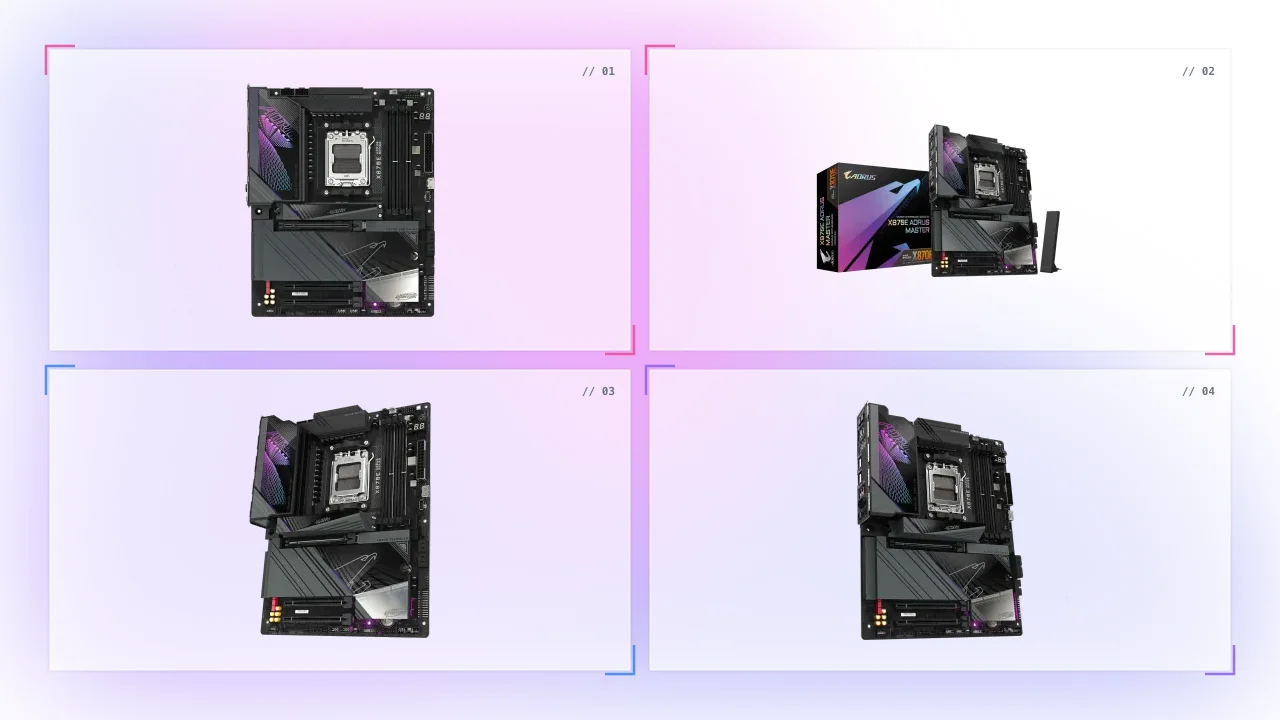
Your PC's performance is limited by outdated motherboard technology.
Struggling with slower processing speeds, connectivity issues, and lack of cutting-edge features in your current system? Without advanced capabilities, your system will lag behind in high-performance gaming or heavy workloads.
Upgrade to the Gigabyte X870-E Aorus Master Motherboard in {United Arab Emirates} for ultimate performance. With support for AMD Ryzen™ 9000, 8000, and 7000 Series Processors, PCIe 5.0, DDR5, Wi-Fi 7, and USB4® technology, this board unlocks lightning-fast speeds, unmatched connectivity, and enhanced memory. Ideal for gaming, content creation, and multitasking, it takes your rig to the next level effortlessly.
Gigabyte X870-E Aorus
Master Motherboard Features in {United Arab Emirates}
Discover the powerful features of the Gigabyte X870-E Aorus Master Motherboard. Supports AMD Ryzen processors, PCIe 5.0, DDR5, Wi-Fi 7, and more.
- Supports AMD Ryzen™ 9000, 8000, and 7000 Series Processors
- PCIe 5.0 and DDR5 for cutting-edge speed and bandwidth
- Wi-Fi 7 and Bluetooth 5.3 for the fastest wireless connections
- Supports up to 256 GB of DDR5 memory in dual-channel
- Dual USB4® Type-C® ports for faster data transfers
- High-definition audio with Realtek® ALC1220 and DTS:X® Ultra
- Advanced cooling system with water cooling pump support
- Comprehensive RGB and addressable LED support for customization
Upgrade to Gigabyte X870-E Aorus Master for unbeatable performance!
Your current motherboard is hindering your system’s full potential.
Without the latest technology, your PC is missing out on faster speeds, smoother multitasking, and powerful gaming or content creation performance. Older hardware leaves you vulnerable to bottlenecks, limiting your system’s capabilities.
Unlock next-gen performance with the Gigabyte X870-E Aorus Master Motherboard in {United Arab Emirates}. Supporting AMD Ryzen™ 9000, 8000, and 7000 Series Processors, along with PCIe 5.0 and DDR5 memory, this motherboard delivers lightning-fast processing, advanced connectivity, and superior gaming performance. Enhance your build with cutting-edge features like Wi-Fi 7 and USB4® ports for future-proofed performance.
Gigabyte X870-E Aorus
Master Motherboard Specs
Check out the detailed technical specs for the Gigabyte X870-E Aorus Master, including processor support, PCIe slots, memory, and connectivity options.
| CPU | AMD Socket AM5, support for: AMD Ryzen™ 9000 Series Processors/ AMD Ryzen™ 8000 Series Processors/ AMD Ryzen™ 7000 Series Processors (Go to GIGABYTE's website for the latest CPU support list.) |
| Chipset | AMD X870E |
| Memory | Support for DDR5 8600(OC) / 8400(OC) / 8200(OC) / 8000(OC) / 7800(OC) / 7600(OC) / 7200(OC) / 7000(OC) /
6800(OC) / 6666(OC) / 6600(OC) / 6400(OC) / 6200(OC) / 6000(OC) / 5600(OC) / 5200 / 4800 / 4400 MT/s
memory modules 4 x DDR5 DIMM sockets supporting up to 256 GB (64 GB single DIMM capacity) of system memory Dual channel memory architecture Support for ECC and non-ECC Un-buffered DIMM memory modules Support for AMD EXtended Profiles for Overclocking (AMD EXPO™) and Extreme Memory Profile (XMP) memory modules (The CPU and memory configuration may affect the supported memory types, data rate (speed), and number of DRAM modules, please refer to "Memory Support List" on GIGABYTE's website for more information.) |
| Onboard Graphics | Integrated Graphics Processor with AMD Radeon™ Graphics support+ASMedia USB4® Controller: - 2 x USB4® USB Type-C® ports, supporting USB4 and DisplayPort video outputs and a maximum resolution of 3840x2160@240 Hz * Support for DisplayPort 1.4 version and HDR. Integrated Graphics Processor with AMD Radeon™ Graphics support: - 1 x HDMI port, supporting a maximum resolution of 4096x2160@60 Hz * Support for HDMI 2.1 version, HDCP 2.3, and HDR. ** Support for native HDMI 2.1 TMDS compatible ports. - 1 x Front HDMI port, supporting a maximum resolution of 1920x1080@30 Hz * Support for HDMI 1.4 version. (Graphics specifications may vary depending on CPU support.) |
| Audio | Realtek® ALC1220 CODEC * The back panel line out jack supports DSD audio. Support for DTS:X® Ultra High Definition Audio 2/4/5.1/7.1-channel * You can change the functionality of an audio jack using the audio software. To configure 7.1-channel audio, access the audio software for audio settings. Support for S/PDIF Out |
| LAN | Realtek® 5GbE LAN chip (5 Gbps/2.5 Gbps/1 Gbps/100 Mbps) |
| Wireless Communication module | Qualcomm® Wi-Fi 7 QCNCM865 - 802.11a, b, g, n, ac, ax, be, supporting 2.4/5/6 GHz carrier frequency bands - BLUETOOTH 5.3 - Support for 11be 320MHz wireless standard (Actual data rate may vary depending on environment and equipment.) * Wi-Fi 7 features require Windows 11 SV3 to function properly. (There is no support driver for Windows 10.) ** Wi-Fi 7 channels on 6 GHz band availability depends on individual country's regulations. |
| Expansion Slots | 1 x PCI Express x16 slot (PCIEX16), integrated in the CPU: AMD Ryzen™ 9000/7000 Series Processors support PCIe 5.0 x16 mode * The PCIEX16 slot can only support a graphics card or an NVMe SSD. If only one graphics card is to be installed, be sure to install it in the PCIEX16 slot. * The PCIEX16 slot shares bandwidth with the M2B_CPU and M2C_CPU connectors. The PCIEX16 slot operates at up to x8 mode when a device is installed in the M2B_CPU or M2C_CPU connector. AMD Ryzen™ 8000 Series-Phoenix 1 Processors support PCIe 4.0 x8 mode AMD Ryzen™ 8000 Series-Phoenix 2 Processors support PCIe 4.0 x4 mode Chipset: - 1 x PCI Express x16 slot, supporting PCIe 4.0 and running at x4 (PCIEX4_1) - 1 x PCI Express x16 slot, supporting PCIe 3.0 and running at x4 (PCIEX4_2) |
| Storage Interface | 1 x M.2 connector (M2A_CPU), integrated in the CPU, supporting Socket 3, M key, type
25110/22110/2580/2280 SSDs: AMD Ryzen™ 9000/7000 Series Processors support PCIe 5.0 x4/x2 SSDs AMD Ryzen™ 8000 Series-Phoenix 1 Processors support PCIe 4.0 x4/x2 SSDs AMD Ryzen™ 8000 Series-Phoenix 2 Processors support PCIe 4.0 x4/x2 SSDs 2 x M.2 connectors (M2B_CPU, M2C_CPU), integrated in the CPU, supporting Socket 3, M key, type 22110/2280 SSDs: AMD Ryzen™ 9000/7000 Series Processors support PCIe 5.0 x4/x2 SSDs * The M2B_CPU and M2C_CPU connectors become unavailable when an AMD Ryzen™ 8000 Series-Phoenix 1/Phoenix 2 processor is used. 1 x M.2 connector (M2D_SB), integrated in the Chipset, supporting Socket 3, M key, type 22110/2280 PCIe 4.0 x4/x2 SSDs 4 x SATA 6Gb/s connectors RAID 0, RAID 1, RAID 5, and RAID 10 support for NVMe SSD storage devices * RAID 5 is only available on AMD Ryzen™ 9000 Series Processors. RAID 0, RAID 1, and RAID 10 support for SATA storage devices |
| USB | CPU+ASMedia USB4® controller: - 2 x USB4® USB Type-C® ports on the back panel CPU: - 1 x USB 3.2 Gen 2 Type-A port (red) on the back panel Chipset+USB 3.2 Gen 1 Hub: - 4 x USB 3.2 Gen 1 ports on the back panel Chipset: - 1 x USB Type-C® port with USB 3.2 Gen 2x2 support, available through the internal USB header - 3 x USB 3.2 Gen 2 Type-A ports (red) on the back panel - 4 x USB 3.2 Gen 1 ports available through the internal USB headers - 6 x USB 2.0/1.1 ports (2 ports on the back panel, 4 ports available through the internal USB headers) |
| Internal I/O Connectors | 1 x 24-pin ATX main power connector 2 x 8-pin ATX 12V power connectors 1 x CPU fan header 1 x CPU fan/water cooling pump header 4 x system fan headers 2 x system fan/water cooling pump headers 4 x addressable RGB Gen2 LED strip headers 1 x RGB LED strip header 4 x M.2 Socket 3 connectors 4 x SATA 6Gb/s connectors 1 x front panel header 1 x front panel audio header 1 x USB Type-C® header, with USB 3.2 Gen 2x2 support 2 x USB 3.2 Gen 1 headers 2 x USB 2.0/1.1 headers 1 x noise detection header 1 x Trusted Platform Module header (For the GC-TPM2.0 SPI/GC-TPM2.0 SPI 2.0/GC-TPM2.0 SPI V2 module only) 1 x HDMI port (Note) 1 x power button 1 x reset button 1 x reset jumper 1 x Clear CMOS jumper 2 x temperature sensor headers Voltage Measurement Points (Note) Actual support may vary by CPU. |
| Back Panel Connectors | 1 x Q-Flash Plus button 1 x Clear CMOS button 1 x HDMI port (Note) 2 x USB4® USB Type-C® ports (DisplayPorts (Note)) 4 x USB 3.2 Gen 2 Type-A ports (red) 4 x USB 3.2 Gen 1 ports 2 x USB 2.0/1.1 ports 1 x RJ-45 port 2 x antenna connectors (2T2R) 2 x audio jacks 1 x optical S/PDIF Out connector (Note) Actual support may vary by CPU. |
| I/O Controller | iTE® I/O Controller Chip |
| H/W Monitoring | Voltage detection Temperature detection Fan speed detection Water cooling flow rate detection Fan fail warning Fan speed control * Whether the fan (pump) speed control function is supported will depend on the fan (pump) you install. Noise detection |
| BIOS | 1 x 256 Mbit flash Use of licensed AMI UEFI BIOS PnP 1.0a, DMI 2.7, WfM 2.0, SM BIOS 2.7, ACPI 5.0 |
| Unique Features | Support for GIGABYTE Control Center (GCC) * Available applications in GCC may vary by motherboard model. Supported functions of each application may also vary depending on motherboard specifications. Support for Q-Flash Support for Q-Flash Plus Support for Smart Backup |
| Bundled Software | Norton® Internet Security (OEM version) LAN bandwidth management software |
| Operating System | Support for Windows 11 64-bit |
| Form Factor | ATX Form Factor; 30.5cm x 24.4cm |
FAQ
Frequently Asked Questions about Gigabyte X870-E Aorus Master Motherboard.
What processors are compatible with the Gigabyte X870-E Aorus Master?
This motherboard supports AMD Ryzen™ 9000, 8000, and 7000 Series Processors.
Does the Gigabyte X870-E Aorus Master support Wi-Fi?
Yes, it supports Wi-Fi 7 with Qualcomm® QCNCM865 module for high-speed wireless connectivity.
What is the maximum memory capacity?
The motherboard supports up to 256 GB of DDR5 memory with 4 DIMM sockets.
How many PCIe slots are available?
It has 3 PCIe slots: one PCIe 5.0 x16, one PCIe 4.0 x4, and one PCIe 3.0 x4.
Can I overclock memory on this motherboard?
Yes, it supports AMD EXPO™ and XMP memory profiles for overclocking.
Discussion (0)
No comments found.
Post a Comment
Your email address will not be published.
Related Articles
GPU Hierarchy 2026: The Ultimate Hardware Guide for UAE Shoppers
The ultimate guide to PC Components & Hardware for the AE community. Focusing on Video card selection with expert insights from GCC Gamers.
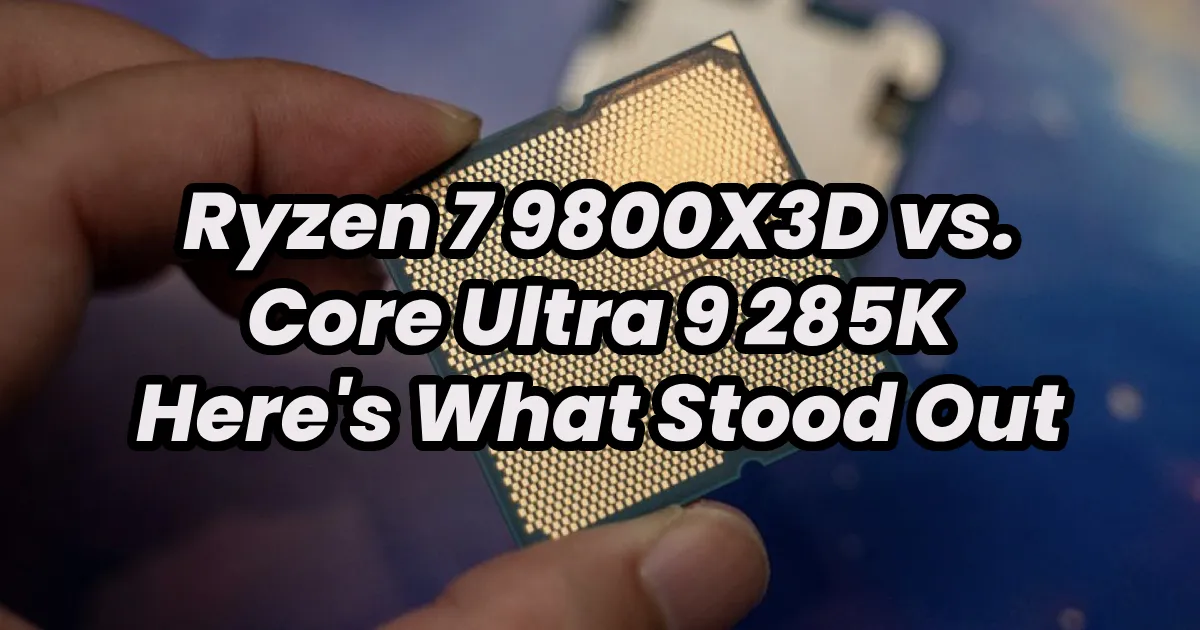
Ryzen 7 9800X3D vs. Core Ultra 9 285K - Here's What Stood Out
The clash of high-performance CPUs reaches new heights with AMD's Ryzen 7 9800X3D and Intel's Core Ultra 9 285K taking center stage. These cutting-edge processo...
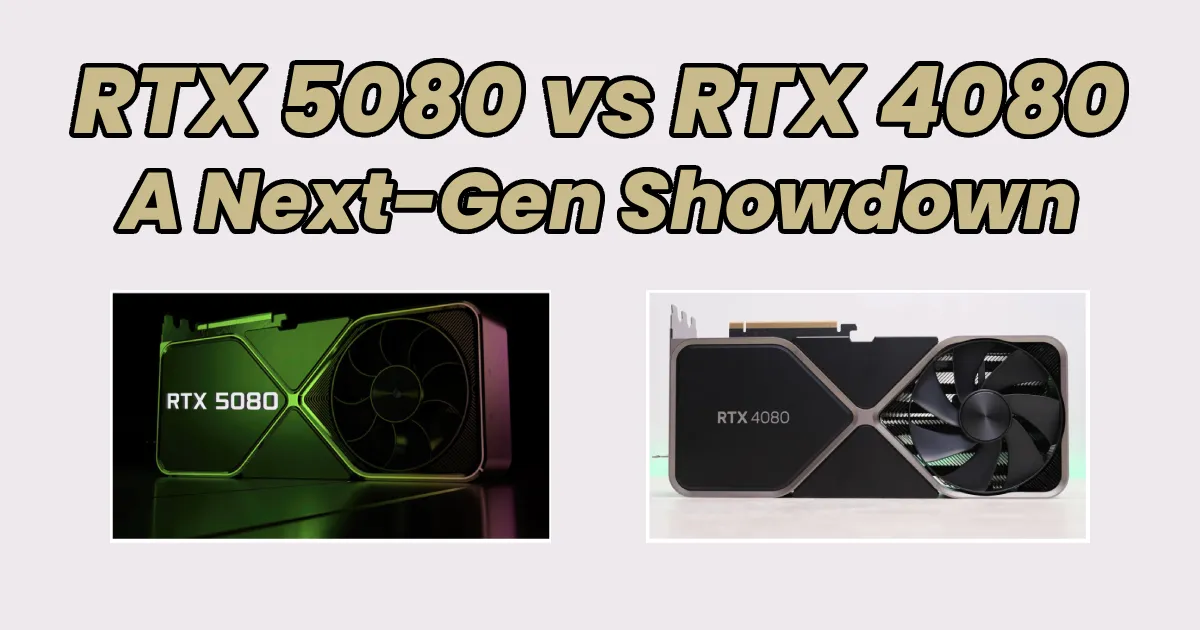
RTX 5080 vs RTX 4080: A Next-Gen Showdown
The battle between NVIDIA's RTX 5080 and RTX 4080 is shaping up to be one of the most exciting comparisons in the GPU market. While the RTX 4080 is a powerhouse...
NVIDIA RTX 5070 vs. RTX 4070 – A Detailed Comparison
With NVIDIA’s RTX 5000 series entering the market, gamers and content creators are eager to see how the new GPUs stack up against their predecessors. The RTX 50...


