
What AI Workstation Do You Need to Run AI Models in Qatar?

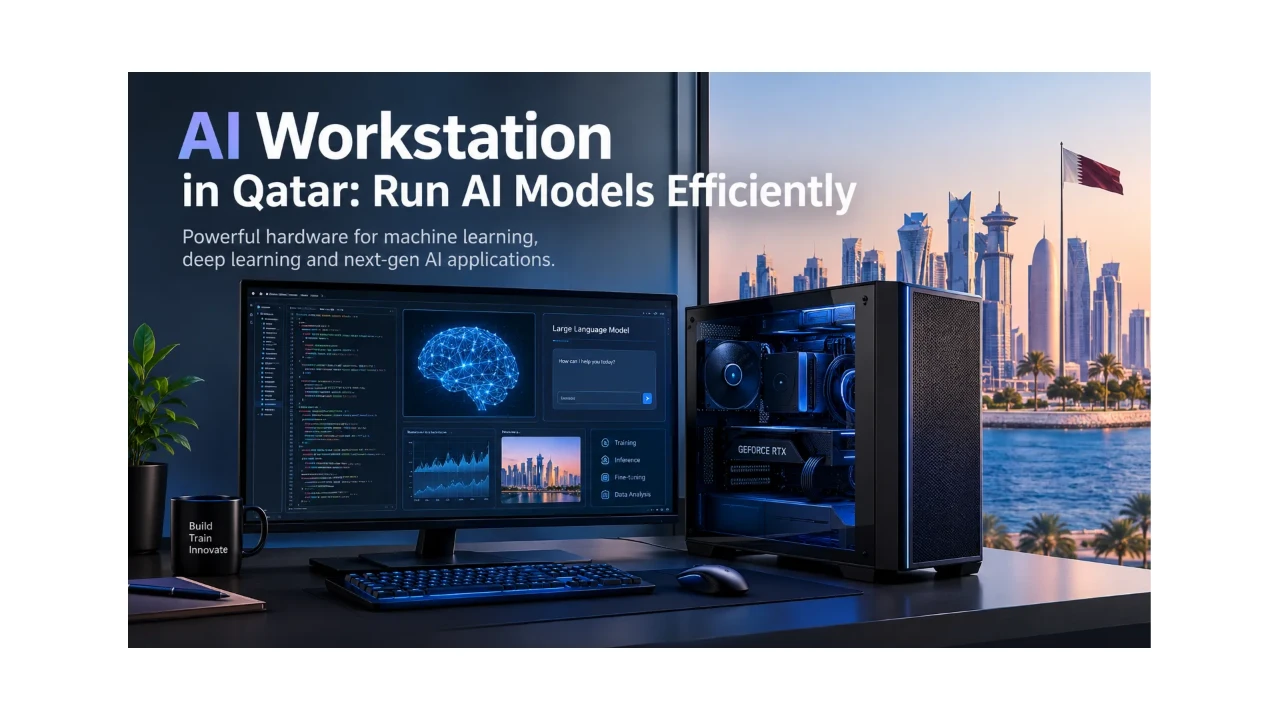
Artificial intelligence is creating new opportunities for businesses, developers, researchers, and technology professionals across Qatar. From developing intelligent applications to running large language models and training neural networks, AI workloads increasingly require powerful computing hardware.
Choosing the right AI Workstation in Qatar depends on the type of AI models you want to run, the size of your datasets, and whether you plan to develop, train, fine-tune, or simply use existing models. A workstation suitable for basic AI development may not provide enough GPU memory for large language models or advanced deep learning projects.
If you are researching an AI Workstation for business, research, or professional development, understanding the main hardware requirements can help you select a system that balances performance, capacity, and cost.
What Is an AI Workstation?
An AI Workstation is a high-performance computer designed for demanding artificial intelligence and computational workloads. It typically combines a powerful processor, a dedicated GPU, substantial system memory, and fast storage to support machine learning, deep learning, data analysis, and AI model development.
An AI Workstation can support a variety of applications, including:
- Running large language models (LLMs) locally.
- Developing AI assistants and chatbots.
- Training and fine-tuning machine learning models.
- Performing image recognition and computer vision.
- Generating images using AI models.
- Analysing large datasets and conducting scientific research.
- Building and testing AI-powered business applications.
For organisations in Qatar, a dedicated AI Workstation can provide greater control over local computing resources and help keep selected workloads and data within their own environment. However, cloud computing may still be necessary for projects that exceed the workstation's available memory or processing capacity.
What Specifications Should You Look for in an AI Workstation?
When comparing AI Workstations, consider the complete hardware configuration rather than focusing on a single component. GPU memory, processor performance, system RAM, and storage all influence how effectively a workstation handles AI workloads.
1. GPU and VRAM for AI Models
The graphics processing unit (GPU) is one of the most important components in many AI Workstations. GPUs are designed to perform parallel calculations that are widely used in machine learning and deep learning.
However, GPU memory, also known as VRAM, is equally important. It stores model weights, intermediate calculations, and other data required during AI processing.
For example, a GPU with 16GB of VRAM may support smaller models and selected AI development tasks. A GPU with 48GB or 96GB of VRAM can provide more capacity for larger models, demanding inference workloads, and certain fine-tuning applications.
These figures are general guidelines rather than strict model-size limits. Actual requirements depend on model architecture, quantisation, numerical precision, context length, batch size, and software configuration.
Before purchasing an AI Workstation, identify the models you intend to run and check their memory requirements. A powerful GPU with insufficient VRAM may struggle with a workload even when its processing performance is otherwise excellent.
2. System RAM for AI Development
System RAM allows the workstation to manage datasets, applications, development tools, and background processes. It is particularly important when working with large datasets or running several demanding applications simultaneously.
The following configurations can help you plan your requirements:
- 32GB RAM: A possible starting point for basic AI development and smaller experiments.
- 64GB RAM: Suitable for more demanding development environments and multitasking.
- 128GB RAM: Worth considering for larger datasets and memory-intensive professional applications.
- 256GB RAM or more: Useful for selected research workloads, large datasets, and advanced workstation configurations.
The amount required depends on the workload. Some AI applications need considerably less memory, while complex research projects may benefit from much larger capacities.
For businesses and research teams, ECC memory may also be worth considering where supported by the workstation platform and required by the intended workload.
3. Processor Performance
Although AI workloads often rely heavily on the GPU, the processor remains essential. The CPU handles data preparation, application logic, preprocessing, software compilation, and other tasks that support AI development.
A modern high-performance desktop processor may be sufficient for smaller projects. More demanding applications, such as scientific simulations, large-scale data processing, and parallel workloads, may benefit from a workstation-class processor with a higher core count and substantial memory bandwidth.
AMD Ryzen Threadripper and Threadripper PRO processors are examples of options available in high-performance workstation configurations.
The best processor depends on the software you use and the amount of work performed on the CPU. A more expensive processor will not automatically improve every AI workload if the primary limitation is GPU memory or GPU processing performance.
4. SSD Storage for Models and Datasets
AI projects can involve large model files, datasets, software environments, checkpoints, and generated content. Fast NVMe solid-state storage helps reduce loading times and improves access to frequently used files.
A 1TB SSD may be adequate for smaller projects, while 2TB or more can be useful when working with several models and datasets. Research environments with substantial data requirements may need additional storage.
When choosing an AI Workstation, consider both storage capacity and speed. Keeping active projects on a fast SSD can help maintain a smooth workflow, although storage performance cannot compensate for insufficient GPU memory.
5. Cooling, Power, and Upgrade Options
AI workloads may run for extended periods, so a workstation needs appropriate cooling and reliable power delivery. Multi-GPU systems require particular attention to thermal management, physical space, power requirements, and airflow.
It is also worth considering whether the workstation supports future memory upgrades, additional storage, or extra GPUs. Planning for expansion can be valuable for businesses whose AI requirements may grow over time.
Which AI Workstation Is Best for Your AI Workload?
There is no single AI Workstation that is best for every application. Your choice should reflect the type and scale of work you intend to perform.
AI Development and Experimentation
If you are developing AI applications, learning machine learning, or testing smaller models, a workstation with a capable GPU, adequate system RAM, and fast SSD storage may be sufficient.
Developers who mainly connect to cloud-based AI services may not require the same local GPU capacity as professionals running models directly on their own hardware.
Running Local Large Language Models
Running large language models locally requires careful planning around VRAM capacity. If a model cannot fit entirely into GPU memory, some software configurations can offload portions of the workload to system RAM. This can increase memory requirements and may reduce performance.
If your goal is to run local AI assistants, coding models, document analysis tools, or private language models, check the specific model's memory requirements before choosing a workstation.
Quantised models can reduce memory consumption, although the results and performance depend on the model and quantisation method.
Machine Learning and Deep Learning
Machine learning and deep learning include tasks such as neural network training, image recognition, computer vision, and model fine-tuning.
For these workloads, GPU performance, VRAM, system RAM, CPU capability, and cooling all matter. A professional AI Workstation with a high-memory GPU may be appropriate for projects that exceed the capabilities of a typical desktop configuration.
Advanced AI Research and Multi-GPU Workloads
Research teams working with large models or computationally intensive projects may require a workstation with substantial system memory and multiple GPUs.
However, adding GPUs does not guarantee that every application will run faster. The AI framework must support multi-GPU execution, and the workload must be able to benefit from the additional processing resources.
For particularly large training jobs, a dedicated server or cloud computing environment may be more practical than a single workstation.
AI Workstations Available at GCC Gamers Qatar
GCC Gamers offers AI Workstation configurations for different professional requirements. Here are three examples with specifications suited to demanding AI and computational workloads.
Hyper AI Station Workstation
The Hyper AI Station features an AMD Threadripper PRO 7975WX 32-core processor, 256GB DDR5 ECC RAM, an NVIDIA RTX 6000 Ada GPU with 48GB VRAM, and dual 2TB PCIe Gen 5 NVMe SSDs.
Its combination of high-capacity system memory, professional GPU hardware, and fast storage may suit AI development, deep learning experiments, local model inference, and other demanding computational applications.
Explore the Hyper AI Station Workstation in Qatar.
AI Research Workstation
For more demanding AI development and research, the AI Research Workstation features an AMD Ryzen Threadripper PRO 9995WX 96-core processor, 512GB DDR5 ECC RAM, an NVIDIA RTX PRO 6000 GPU with 96GB VRAM, and a 4TB PCIe Gen 5 NVMe SSD.
This configuration offers substantial CPU processing capacity, system memory, and GPU memory for suitable large-model workloads, deep learning development, scientific computing, and data-intensive research. Actual performance will depend on the model, software, and workload configuration.
View the AI Research Workstation at GCC Gamers Qatar.
Hyperion AI Workstation
The Hyperion AI Workstation is designed for advanced professional workloads. Its configuration includes an AMD Ryzen Threadripper PRO 9995WX processor, 512GB DDR5 ECC RAM, and two NVIDIA RTX PRO 6000 GPUs with 96GB VRAM each.
A dual-GPU system may be useful for supported AI workloads that can distribute computation across multiple accelerators. Before selecting this type of configuration, check your framework's multi-GPU support, memory requirements, and scaling behaviour.
Discover the Hyperion AI Workstation in Qatar.
How Much Should You Spend on an AI Workstation in Qatar?
The cost of an AI Workstation depends on the GPU, VRAM capacity, processor, system memory, storage, and number of accelerators.
Instead of choosing a workstation based only on price, begin by identifying your most demanding intended workload. Determine the GPU memory required by your models, estimate the amount of system RAM you need, and select sufficient storage for your datasets and software.
Avoid paying for multiple GPUs if your applications cannot use them effectively. Similarly, a system with a powerful processor but insufficient VRAM may not be the best choice for running large local AI models.
For organisations in Qatar, it is also sensible to consider electricity consumption, cooling, maintenance, warranty coverage, and upgrade options when evaluating the total cost of ownership.
How to Choose the Right AI Workstation for Your Needs
Before making your final decision, use this checklist:
- Identify your AI workload: Determine whether you will run existing models, develop AI applications, fine-tune models, or train neural networks.
- Check GPU memory requirements: Confirm the VRAM needed for your intended models and applications.
- Choose sufficient system RAM: Consider dataset sizes and other applications running alongside your AI workload.
- Select appropriate storage: Allow enough SSD capacity for model files, datasets, and development environments.
- Review future expansion: Consider whether you may need more memory, storage, or GPU capacity later.
- Confirm software compatibility: Check operating system, drivers, frameworks, and multi-GPU support where applicable.
- Compare complete configurations: Evaluate performance, reliability, power requirements, and overall cost.
Following these steps can help you avoid unnecessary spending and choose a workstation that meets your actual computing requirements.
Final Thoughts
The best AI Workstation in Qatar is the one that matches your models, applications, and performance requirements. GPU VRAM is particularly important for local AI inference and many deep learning workloads, while CPU performance, system RAM, storage, and cooling help create a balanced system.
For smaller development projects, a moderately configured workstation may be sufficient. Advanced research, large language models, and demanding deep learning workloads may benefit from professional GPUs with higher VRAM capacity and larger amounts of system memory.
If you are comparing AI Workstations in Qatar, explore the configurations available at GCC Gamers and choose a system based on your workload, budget, and future plans. A carefully selected workstation can provide a strong foundation for AI development, machine learning, deep learning, and professional research.
Discussion (0)
No comments found.
Post a Comment
Your email address will not be published.
Related Articles

Doha's Digital Arena: The Future of High-Performance Tech
The ultimate guide to Gaming News & Technology for the QA community. Focusing on High-bandwidth tech in Doha with expert insights from GCC Gamers.

Luxe Custom Setups: The Doha Guide to Premium PC Building
The ultimate guide to Gaming PC Builds & Setups for the QA community. Focusing on Aesthetic builds in Qatar with expert insights from GCC Gamers.
Stability First: Troubleshooting Hardware Bottlenecks in Doha
The ultimate guide to PC Optimization & Troubleshooting for the QA community. Focusing on Diagnostics and repair with expert insights from GCC Gamers.
Motherboard Mastery: Building a Solid Foundation in Qatar
The ultimate guide to PC Components & Hardware for the QA community. Focusing on Mainboard features with expert insights from GCC Gamers.


