
AI Workstation for Business and Research in Oman

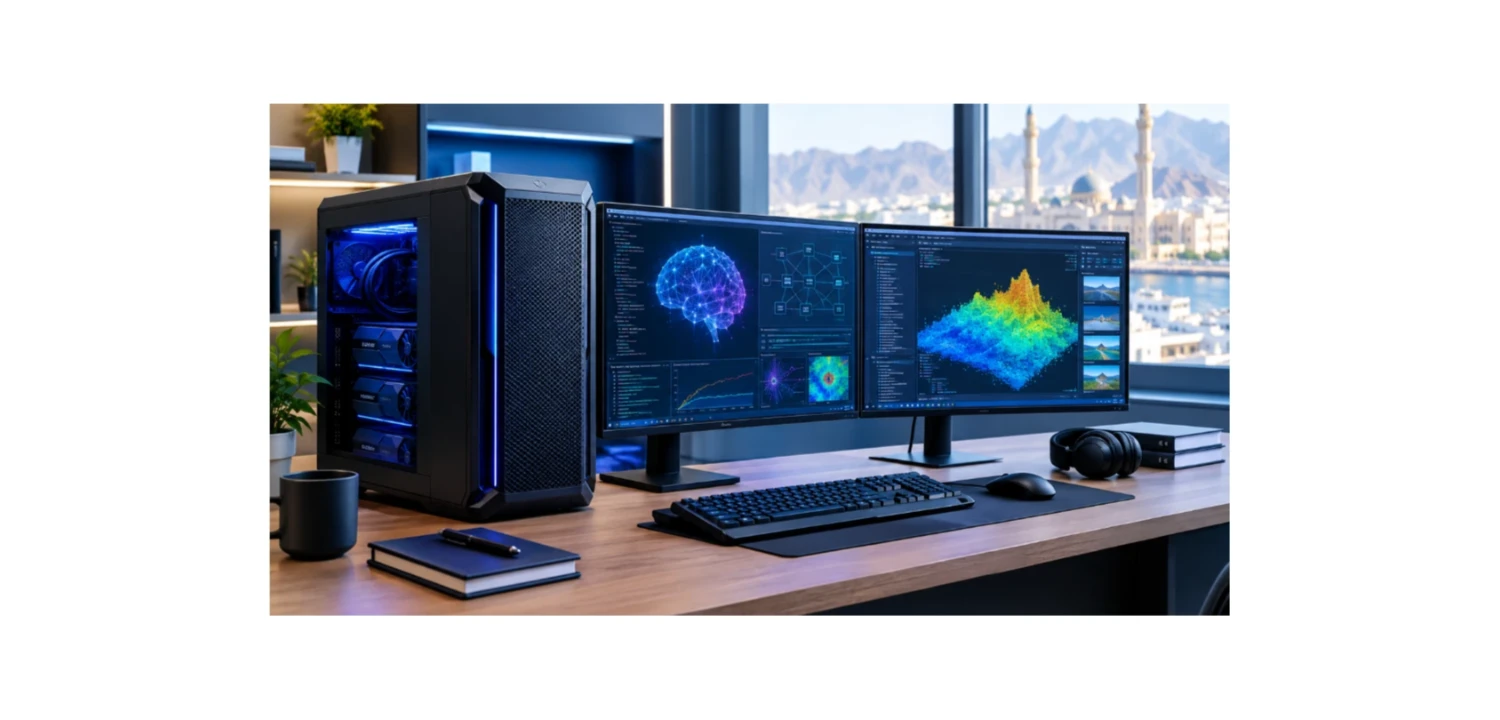
Artificial intelligence is creating new opportunities for businesses, researchers, developers, and technology professionals in Oman. From automating business processes to analysing large datasets and developing intelligent applications, AI is becoming an important part of modern computing.
However, demanding AI workloads require suitable hardware. Standard desktop computers may be sufficient for everyday office tasks, but running AI models, training neural networks, and processing complex datasets can require more GPU power, memory, and storage.
An AI Workstation in Oman provides the computing resources needed for machine learning, deep learning, AI model development, and professional research. Choosing the right system depends on your workload, budget, software requirements, and plans for future expansion.
What Is an AI Workstation?
An AI Workstation is a high-performance computer designed for demanding artificial intelligence and computational workloads. It typically combines a powerful processor, a dedicated GPU, substantial system RAM, and fast SSD storage.
Businesses and research teams can use an AI Workstation for:
- Running large language models locally.
- Developing AI applications, assistants, and chatbots.
- Training and fine-tuning machine learning models.
- Performing data analysis and predictive modelling.
- Processing images and video using computer vision.
- Conducting scientific research and computational simulations.
For organisations in Oman, a dedicated AI Workstation can provide greater control over local computing resources and support suitable AI workloads without relying entirely on cloud services.
Why Do Businesses in Oman Need an AI Workstation?
Business Automation and AI Development
Businesses can develop AI-powered applications for document processing, customer support, internal knowledge management, and workflow automation. An AI Workstation can provide a dedicated environment for building, testing, and evaluating these applications.
The required configuration depends on whether the applications run local AI models, use cloud-based services, or combine both approaches.
Data Analytics and Predictive Modelling
Machine learning can help organisations identify patterns, analyse business data, and generate predictions. A workstation with sufficient processing power and memory can support data preparation, model experimentation, and analytical workloads.
CPU performance and system RAM are important for many data-processing tasks, while GPU acceleration can benefit deep learning applications.
AI Research and Product Development
Research teams may need to experiment with different AI models, datasets, and algorithms. A professional AI Workstation can support prototyping, model evaluation, and selected computational research tasks.
For projects involving large language models, neural networks, or computer vision, GPU memory and system RAM deserve particular attention.
How to Choose the Right AI Workstation
1. GPU Performance and VRAM
The graphics processing unit (GPU) is one of the most important components in many AI Workstations. It accelerates parallel calculations used in machine learning, deep learning, image generation, and other AI applications.
GPU memory, or VRAM, determines how much model data and intermediate information can fit on the graphics card.
As a general guide:
- 16GB VRAM: May suit smaller models and selected AI development tasks.
- 24GB–32GB VRAM: Offers more capacity for demanding AI applications and larger models.
- 48GB VRAM: Can support memory-intensive professional inference and development workloads.
- 96GB VRAM: Provides additional capacity for selected large-model and research workloads.
These are indicative ranges, not strict limits. Actual requirements depend on model architecture, quantisation, context length, batch size, and software configuration. Always check the memory requirements of your intended models before purchasing a workstation.
2. System RAM
System RAM supports datasets, development environments, multitasking, and applications running alongside AI workloads.
- 32GB–64GB: A possible starting point for smaller projects and AI development.
- 128GB: Worth considering for larger datasets and demanding professional applications.
- 256GB or more: Useful for selected research workloads and memory-intensive computing.
The appropriate capacity depends on the software, dataset size, and number of concurrent processes. ECC memory may also be worth considering for supported professional configurations.
3. Processor Performance
The CPU handles data preparation, preprocessing, software compilation, application execution, and other computing tasks. Some scientific and analytical applications depend heavily on CPU performance.
A modern high-performance processor may be sufficient for many AI projects. More demanding workloads may benefit from workstation-class processors such as AMD Ryzen Threadripper or Threadripper PRO.
Choose a processor according to your software requirements, core-count needs, and supported memory capacity. A more expensive CPU will not necessarily improve performance if GPU memory is the primary limitation.
4. Fast SSD Storage
AI projects can involve large model files, datasets, checkpoints, and development tools. NVMe SSD storage helps reduce loading times and provides quick access to frequently used files.
A 1TB SSD may be sufficient for smaller projects, while 2TB or more can be useful for maintaining multiple models and datasets. Research environments may require additional storage as projects grow.
5. Cooling and Upgrade Options
AI workloads can run for extended periods, making cooling and power delivery important. Multi-GPU workstations require particular attention to airflow, power requirements, and physical space.
Businesses should also consider whether the system supports future upgrades to RAM, storage, or GPUs. Expandability can help extend the workstation's useful life as computing requirements change.
Choosing an AI Workstation for Different Workloads
AI Workstation for Small and Medium-Sized Businesses
Businesses developing applications, automating documents, or testing smaller models may benefit from a workstation with a capable CPU, suitable GPU, sufficient RAM, and fast storage. Organisations that mainly use cloud-based AI services may need less local GPU capacity.
AI Workstation for Professional Developers
Developers running local language models or testing AI applications should prioritise GPU memory, system RAM, and software compatibility. More VRAM can provide flexibility when experimenting with different model sizes.
AI Research Workstation
Research teams working with larger models, complex datasets, or demanding computational experiments may need professional GPUs, high-capacity system memory, and fast storage.
Deep Learning Workstation
Deep learning applications such as neural network training, computer vision, and model fine-tuning can place heavy demands on GPU performance and VRAM. Larger training projects may require multiple GPUs or cloud computing resources.
AI Workstations Available at GCC Gamers Oman
GCC Gamers offers workstation configurations for demanding professional computing workloads. The following examples illustrate different hardware options.
Hyper AI Station Workstation
The Hyper AI Station features an AMD Ryzen Threadripper PRO 7975WX processor, 256GB DDR5 ECC RAM, an NVIDIA RTX 6000 Ada GPU with 48GB VRAM, and dual 2TB PCIe Gen 5 NVMe SSDs.
This configuration may suit professional AI development, local model inference, deep learning experimentation, and memory-intensive computing tasks.
Explore the Hyper AI Station Workstation.
AI Research Workstation
The AI Research Workstation features an AMD Ryzen Threadripper PRO 9995WX processor, 512GB DDR5 ECC RAM, an NVIDIA RTX PRO 6000 GPU with 96GB VRAM, and a 4TB PCIe Gen 5 NVMe SSD.
Its high-capacity memory and professional GPU may suit larger local models, advanced AI experiments, and data-intensive research, depending on the workload and software requirements.
View the AI Research Workstation.
Hyperion AI Workstation
The Hyperion AI Workstation combines an AMD Ryzen Threadripper PRO 9995WX processor, 512GB DDR5 ECC RAM, and two NVIDIA RTX PRO 6000 GPUs with 96GB VRAM each.
This multi-GPU configuration may suit advanced AI workloads that can distribute computations across multiple GPUs. Check that your intended software supports multi-GPU execution before choosing this type of system.
Discover the Hyperion AI Workstation.
How Much Should You Invest in an AI Workstation in Oman?
The cost of an AI Workstation depends on the GPU, processor, memory capacity, storage, and number of accelerators. Start by identifying your intended workloads and checking the hardware requirements of your models and applications.
Avoid paying for multiple GPUs if your software cannot use them effectively. Similarly, a powerful processor may not improve performance when insufficient VRAM is the main bottleneck.
Consider the total cost of ownership, including electricity, cooling, maintenance, warranty coverage, and future upgrades. For particularly large AI training projects, compare the costs of a local workstation with cloud computing or dedicated servers.
What to Check Before Buying an AI Workstation
Use this checklist when comparing systems:
- Workload: Identify whether you need AI inference, model training, fine-tuning, or data analytics.
- GPU memory: Confirm that VRAM meets your models' requirements.
- System RAM: Allow sufficient memory for datasets and applications.
- Processor: Match CPU performance to your software and workload.
- Storage: Choose enough capacity for models, datasets, and project files.
- Compatibility: Check operating systems, drivers, frameworks, and multi-GPU support.
- Expansion: Consider future memory, storage, and GPU upgrades.
- Operating costs: Evaluate power consumption, cooling, and maintenance.
Conclusion
An AI Workstation can give businesses and research teams in Oman the computing resources needed for AI development, machine learning, deep learning, data analysis, and local model inference.
The best configuration depends on the workload. GPU VRAM is particularly important for local AI models, while CPU performance, system RAM, storage, and cooling contribute to a balanced system.
Businesses with modest requirements may be able to use a more affordable configuration, while advanced research and large-model workloads may benefit from professional GPUs and greater memory capacity.
Explore the AI Workstation options available at GCC Gamers Oman and compare specifications against your current projects, budget, and future plans. Choosing the right workstation can provide a reliable foundation for professional AI development and research.
Discussion (0)
No comments found.
Post a Comment
Your email address will not be published.
Related Articles
AI Revolution in Muscat: The Ultimate PC Builds for Machine Learning in Oman!
Build the ultimate AI workstation in Muscat. Learn about local LLM training, VRAM demands, multi-GPU builds, and OMR configurations.

Muscat Student Guide: The Ultimate Laptops for School & College in Oman!
Looking for the best school laptop in Muscat? Read our review on student performance, battery efficiency, and OMR student discounts.
Muscat Gaming Masters: The Ultimate Gaming PC Guide for Oman in 2026!
Looking for the best gaming desktop in Muscat? Read our guide on configurations, thermal performance, and OMR budget setups.
Top 10 RTX 5060 Gaming PC in Muscat, Oman: Best Value Configurations for 2026!
Discover the top 10 RTX 5060 gaming PCs in Oman. Detailed reviews of custom value builds, featuring dynamic product shortcodes and fast delivery in Muscat and Salalah.


